


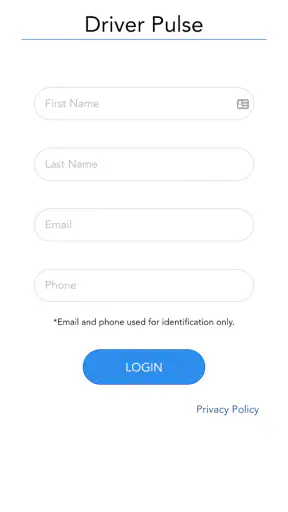
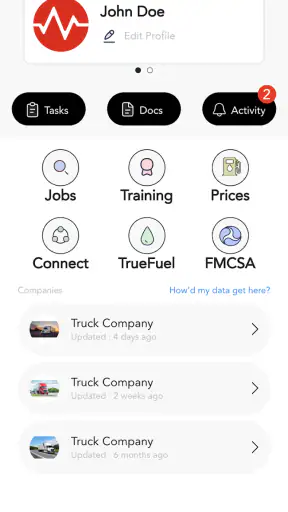
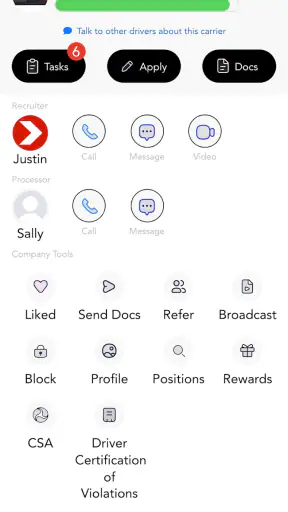
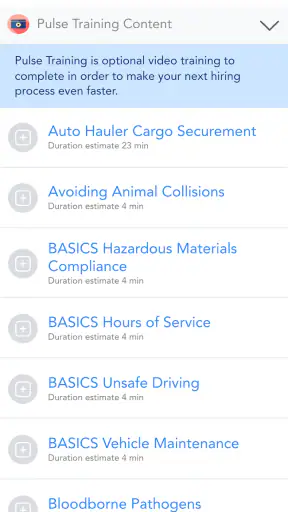
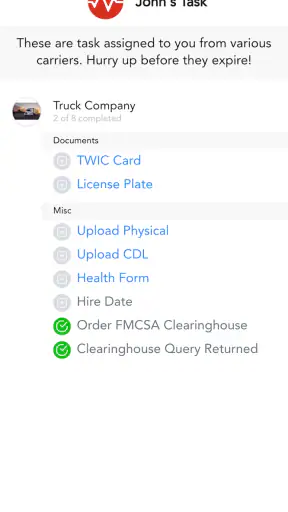
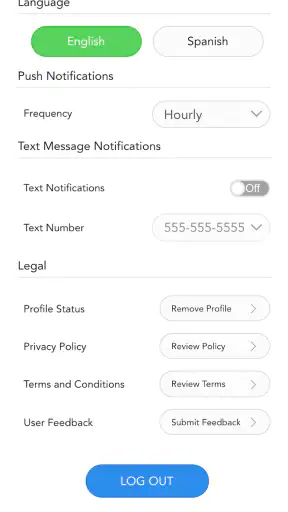
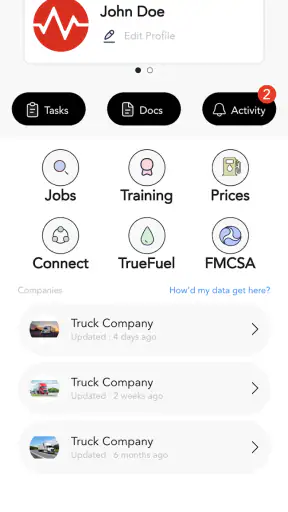
For a professional driver, the difficult part of staying organized is often not the amount of work but the number of small decisions competing for attention. Messages, dispatch details, document checks, route changes, and personal reminders can easily become scattered between phone calls, paper notes, and memory. Driver Pulse by Tenstreet is built for that working environment. I found it most useful when treated as one dependable place in a driver’s daily routine rather than as another app to check constantly.
It is a free business app from Tenstreet, aimed specifically at drivers. The app has been available since August 13, 2015, and its long presence helps explain why it feels more like a practical work tool than a general-purpose productivity app. With an average rating of 4.0 from around 9,700 ratings and more than a million installs, it has clearly reached a substantial driver audience. That does not make it perfect, but it does suggest that it solves a real problem for many people on the road.
Building a calmer driver workflow before opening the app
My strongest recommendation is to decide what Driver Pulse is supposed to handle before using it. If I open it without a clear purpose, it can become just another screen in a busy day. If I use it as the first stop for work-related information, it has a much better chance of reducing mental clutter.
A sensible routine begins before departure. I would check the app while parked, review the information that matters for the next part of the trip, and then decide what needs action immediately and what can wait. That small separation is important. A driver does not need every message or update to interrupt the current task, especially when the current task is driving.
This approach also prevents a common mistake: trying to use one app for everything. Driver Pulse makes sense as a driver-focused work companion, not as a replacement for every navigation, accounting, maintenance, or personal planning tool. I would still keep those responsibilities in their appropriate places. The value here comes from giving driver-related communication and organization a consistent home.
In everyday use, that might mean checking the app before leaving a truck stop, identifying the next action, and closing it again. The goal is not to spend more time inside the application. The goal is to spend less time searching through unrelated conversations or trying to remember what was said during a rushed call.
Why a driver-specific tool can beat a general notes app
A notes application is flexible, but that flexibility can become its weakness. A blank page gives me no natural structure, so I have to invent my own labels, reminders, and filing habits. A general messaging app has the opposite problem: information may be easy to receive but difficult to connect with the rest of the workday.
Driver Pulse is more relevant when the work itself is connected to driver operations. That context is the reason I would choose it over a simple notebook for professional use. The trade-off is that it is less useful for people who want a completely open-ended productivity system. If your main need is writing project plans, managing household tasks, or tracking personal finances, a broader app will probably serve you better.
I also would not treat it as a substitute for careful judgment. An app can help collect and organize information, but it cannot decide whether a change is practical, whether a document is complete, or whether a situation is safe to handle while on the road. The best workflow keeps the human decision at the center and uses the phone to reduce avoidable searching.
Capturing information without letting it become another chore
The most useful habit is to capture information at the moment it becomes relevant, but only when the vehicle is safely parked. That sounds obvious, yet it makes a major difference. A driver who waits until the end of a long shift may forget details or mix several updates together. A driver who stops briefly and records the important point has a cleaner record to work from later.
I would use Driver Pulse for a simple three-step capture process. First, identify the message or update that changes what I need to do. Second, separate the action from the background explanation. Third, return to the app later with one clear question: what is still waiting for me?
This is more effective than repeatedly rereading every conversation. For example, if a delivery detail changes during the day, I would focus on the new instruction and the next practical action rather than treating the entire exchange as one large block of information. That habit reduces the chance of overlooking the latest detail because an older message is more familiar.
A second, less obvious benefit is emotional. Driving work can create a steady stream of interruptions, and every interruption feels urgent when everything is mixed together. By using the app as a holding place for work information, I can postpone noncritical decisions until I am parked. That creates a boundary between receiving information and acting on it.
A realistic day with the app
Imagine starting a morning shift with several tasks competing for attention. Before moving, I open Driver Pulse and review the work information already available. One item needs an immediate response, another only needs to be remembered for later, and a third is not relevant until the next stop. I deal with the first item while parked, mentally set aside the second, and avoid turning the third into a distraction.
Later, after stopping, I return to the app and check what has changed. Because I already separated urgent work from later work, I am not starting from zero. I can confirm the next action, deal with the update, and continue the trip with a clearer head. The advantage is not a dramatic automation feature; it is the repeatability of the process.
This workflow is particularly helpful for drivers who work irregular hours. A fixed office routine is easier to maintain when the desk, inbox, and calendar are always in the same place. A driver’s workplace moves constantly. A consistent mobile checkpoint helps replace the physical structure that an office worker takes for granted.
Keeping organization lightweight
I would avoid turning the app into a detailed diary. The more information I save without deciding why it matters, the harder it becomes to find the useful part. A good rule is to keep only what supports a decision, confirms an instruction, or helps me return to unfinished work.
That rule also makes the app easier to use during a tiring shift. Short, meaningful checks are more sustainable than a complicated filing system that requires constant maintenance. If organizing information takes longer than acting on it, the workflow has become too elaborate.
Another practical tip is to make the final check of the day different from the first check. At the beginning, I want to know what is ahead. At the end, I want to identify what remains unresolved and what can be safely ignored until the next work period. This prevents unfinished items from blending into the next shift without context.
Turning Driver Pulse into a repeatable routine
The app works best when connected to clear moments in the day. I would use one check before departure, another during a planned stop, and a final review when work is winding down. The exact timing can vary, but the principle stays the same: check at predictable points instead of reacting to every notification or urge to look at the phone.
That routine supports safer phone use as well. The app should be handled only while parked or otherwise in a lawful, safe situation. A productivity system that encourages constant checking is not sustainable for driving work. The real test is whether Driver Pulse helps me make fewer unscheduled phone interactions, not whether I spend more time using it.
For someone managing several loads or changing assignments, the routine can also provide a mental reset. At each stop, I can ask what has changed, what needs confirmation, and what is no longer relevant. This is more useful than assuming that every earlier plan still applies. The app becomes part of a review loop rather than a passive storage box.
Creating a handoff habit
One of the most valuable uses is preparing for the next person or the next shift. Even when I am working independently, I may need to remember the state of an assignment after a break. A quick review before stepping away can prevent the familiar problem of returning to work and spending several minutes reconstructing what happened.
I would keep that review focused on status and next action. What has been completed? What is waiting? What needs another person’s attention? This is a more useful framework than simply marking something as “important,” because importance alone does not explain what should happen next.
For drivers who communicate with a dispatcher, fleet office, or recruiting contact, this habit can make conversations more efficient. Instead of reopening every detail, I can approach the conversation with a specific point to resolve. That does not eliminate back-and-forth communication, but it can make each exchange easier to follow.
The limitation is that the usefulness of this routine depends on consistency. If I check the app only when something goes wrong, it becomes a troubleshooting tool rather than a productivity system. It can still help in that situation, but the larger benefit appears when the routine is established before the day becomes complicated.
Where the experience can fail
Driver Pulse is not immune to the problems that affect any mobile work tool. The first failure point is attention. If I try to read or respond while driving, the app is being used incorrectly, regardless of how convenient it may be. A good workflow must build in parked checks and resist the temptation to treat every update as an emergency.
The second failure point is information overload. A driver-focused app can bring important work details together, but that does not automatically make them easy to process. If several conversations or updates arrive close together, I still need to identify which one changes my next action. The app can support that judgment; it cannot perform it for me.
The third issue is dependence on a particular work setup. Driver Pulse is most compelling when the driver’s company or professional contacts use it as part of their communication process. If the people I need to reach rely entirely on other channels, the app may have a smaller role in my day. In that case, a general communication tool or a company-specific system could be more practical.
I would also be cautious about expecting it to replace specialized tools. Navigation requires navigation software. Expense management may require accounting features. Vehicle inspections and maintenance may follow a separate process. Driver Pulse can sit alongside those tools, but it should not be judged as though it were designed to do every job a driver encounters.
When another option is better
A general task manager is a better choice if my main problem is personal scheduling across work, home, appointments, and errands. A notes app is better if I need unrestricted writing or detailed reference material. A company portal may be better if my employer already has a tightly integrated system for dispatch, documents, and status updates.
Driver Pulse is also not the obvious choice for someone who rarely needs driver-specific communication. A casual user may gain little from installing a specialized business app when a familiar messaging or calendar tool already covers the occasional task. Specialization is helpful only when it matches the actual work pattern.
On the other hand, replacing it too quickly with a collection of unrelated apps can create its own friction. One tool for messages, one for reminders, one for documents, and one for notes may look flexible, but switching between them can make the day harder to reconstruct. For a driver who needs a focused work companion, a single relevant app may be easier to maintain than a scattered setup.
Who should adopt it and how to start
I would recommend Driver Pulse to professional drivers who want a more dependable way to handle work information from a phone, especially those whose daily routine includes frequent updates and communication. It is a good fit for someone willing to use short, parked check-ins and keep the workflow simple.
It may be especially useful for newer drivers who are still developing a system for staying organized on the road. Instead of beginning with a complicated collection of productivity tools, they can establish a basic rhythm: review before departure, capture important changes while parked, and close the day by identifying unfinished work.
Experienced drivers can benefit too, but only if the app fits the communication habits already in place. A tool does not improve a workflow merely because it is installed. I would first decide which recurring problem it should solve, then use it for that problem consistently for several shifts. If it reduces searching and repeated questions, it has earned a permanent place in the routine.
Tenstreet keeps the app accessible as a free download, and its Everyone content rating makes it broadly suitable from an age-classification standpoint. The current version is 8.0.10, and the app requires Android 9 or later. Those details matter when deciding whether an older phone can run it, particularly for drivers who keep a dedicated work device rather than upgrading frequently.
My final view is positive but practical. Driver Pulse is most valuable as a calm checkpoint in a driver’s workday, not as an app that demands constant attention. It gives driver-focused organization a clearer home than scattered notes and conversations, while still leaving room for navigation, finance, maintenance, and other specialized tools.
I would choose it for a driver who wants a repeatable communication routine and is prepared to use the phone responsibly while parked. I would skip it for someone seeking an all-purpose planner or a complete replacement for an established company platform. Used within its proper role, Driver Pulse feels like a sensible way to reduce avoidable mental load and keep the next work decision easier to find.


